If you’ve spent any time developing with AI coding assistants, you’ve probably noticed how much time goes into explaining the same requirements repeatedly.
You ask an agent to review your code, explain the coding standards, tell it what files to inspect, and specify how you want the results presented. A few days later, you find yourself providing nearly identical instructions to another agent or a different project.
This becomes particularly frustrating when you’re working across several repositories that follow similar development practices.
While custom instructions have helped address some of these challenges, Agent Skills introduce a more structured approach to capturing repeatable development tasks.
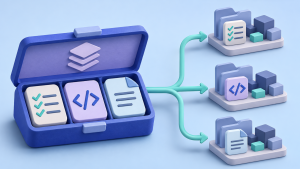
Instead of relying on conversations or copying prompts between projects, developers can package reusable instructions, supporting scripts, and examples into a format that compatible AI agents can discover and use.
GitHub recently published a practical guide demonstrating this approach, and I think it’s worth exploring how developers can apply it to their own workflows.
What exactly is an agent skill?
An Agent Skill is a directory containing a SKILL.md file that describes a particular task, when it should be performed, and the steps an agent should follow.
The directory can also contain supporting files, including scripts, templates, examples, or reference documentation.
Unlike a generic prompt, a skill is intended to be reusable and version-controlled. Developers can keep it alongside application source code, review changes through pull requests, and share it across supported development environments.
For example, you might create skills for reviewing Power Platform solutions, validating PCF components, checking application configuration, or generating technical documentation.
The important distinction is that skills describe how work should be performed, but they don’t automatically provide the tools or permissions needed to perform it.
An agent still needs access to the relevant files, development tools, APIs, or services.
Agent skills vs custom instructions vs MCP
These capabilities often get discussed together, but they serve different purposes.
Custom instructions establish general rules for how an AI assistant should work. For example, you might instruct GitHub Copilot to use TypeScript, follow your organisation’s naming conventions, and prefer particular coding patterns.
Agent Skills define repeatable tasks or specialised procedures. They explain what the agent needs to do, which steps to follow, and how to validate its output.
MCP servers provide access to external capabilities and information, such as repositories, databases, or business applications.
An agent reviewing a PCF component could use custom instructions to understand coding standards, a skill to follow a structured review process, and MCP tools to retrieve additional repository or platform information.
These technologies complement one another rather than competing for the same purpose.
Building a simple agent skill
Let’s create a reusable skill for reviewing Power Apps Component Framework (PCF) components.
The goal is to give GitHub Copilot a consistent process for reviewing PCF code without having to explain the same requirements during every conversation.
In a supported VS Code workspace, create the following directory:
					.github/
  skills/
    pcf-code-review/
      SKILL.md
Inside SKILL.md, add:
					---
name: pcf-code-review
description: >
  Review Power Apps Component Framework components
  for code quality, performance, accessibility,
  and maintainability. Use when reviewing PCF code.
---

# PCF Code Review

When reviewing a PCF component:

1. Inspect ControlManifest.Input.xml and the
   component's TypeScript implementation.

2. Review resource declarations, property usage,
   lifecycle methods, and event handling.

3. Check for unnecessary rendering, unmanaged event
   listeners, and potential memory leaks.

4. Review accessibility, keyboard navigation,
   input validation, and error handling.

5. Identify hardcoded configuration or credentials.

6. Run available build or test commands where
   supported. Do not assume tests passed.

7. Return findings grouped by severity, including
   file references and suggested improvements.

8. Clearly identify anything that could not
   be validated.
Once the skill is available in a supported GitHub Copilot environment, the agent can discover it based on its description or use it when explicitly requested.
For example, you could ask Copilot to review a PCF component using the pcf-code-review skill.
Instead of explaining the review requirements from scratch, the agent can follow the documented procedure.
This doesn’t guarantee that every review will be accurate, but it establishes a consistent starting point.
Making skills more useful
A skill becomes particularly valuable when the procedure goes beyond generic instructions.
For example, a PCF review skill could reference a project-specific accessibility checklist, a script that runs npm run build, or an example report showing the expected structure of findings.
You could also create related skills for validating solution dependencies, reviewing Dataverse plugin registration, checking Power Automate configuration, or preparing release notes.
However, I’d avoid creating one enormous skill that attempts to cover every development scenario.
Skills are more useful when they have a clearly defined purpose and expected output. A focused task is easier to test, maintain, and reuse.
The same principle applies to versioning. If you change the skill’s validation requirements, that change should be reviewed just like any other development artefact.
What about using skills across different agents?
One of the interesting aspects of Agent Skills is that the format is designed to be portable.
Compatible agents can use the same underlying skill definition, although supported file locations, execution environments, and optional features vary between products.
A skill designed for GitHub Copilot might also be suitable for another compatible coding assistant, but that doesn’t mean every agent will execute it identically.
You still need to validate the available tooling, permissions, and behaviour in each environment.
There’s also a security consideration worth highlighting. Skills can contain executable scripts or instructions that direct agents to access external systems. Treat skills obtained from third parties as code dependencies: inspect their contents, understand their permissions, and avoid running untrusted automation.
Why this matters for development teams
The broader value of Agent Skills isn’t just reducing the amount of typing required to interact with AI.
It’s the ability to capture development knowledge in a reusable, reviewable format.
Teams already document coding standards, deployment processes, and quality requirements. Agent Skills introduce an opportunity to make some of that documentation actionable within AI-assisted development workflows.
For Power Platform teams, I can see this becoming particularly useful for enforcing consistent approaches to PCF development, Dataverse extensibility, code reviews, and solution validation.
Rather than expecting every developer to know precisely how to prompt an AI assistant, teams can provide repeatable workflows that encode useful engineering practices.
Final thoughts
I think the most interesting part of Agent Skills is their potential to make AI-assisted development more consistent across teams.
The objective shouldn’t be to replace developer judgement with a collection of instruction files. Instead, it should be to reduce repetitive work and make proven processes easier to reuse.
Developers will still need to validate results, understand the generated changes, and determine whether the output meets their requirements.
But if we’re repeatedly teaching AI agents how to perform the same task, perhaps it’s time we started treating those instructions as reusable development assets.