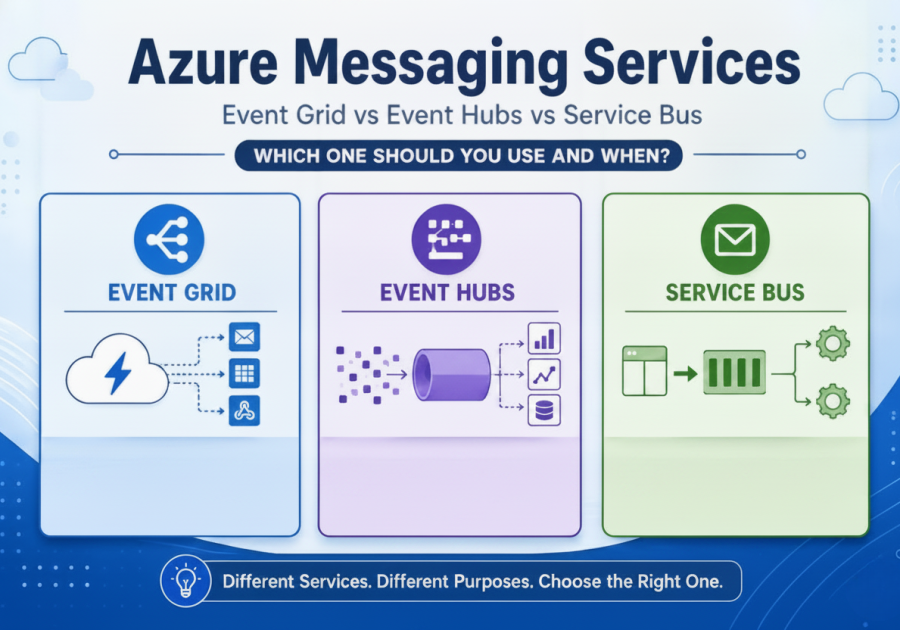
TL;DR - Quick overview
Choosing the wrong Azure messaging service can lead to reliability, performance and scalability issues in production. This guide explains the differences between Event Grid, Event Hubs and Service Bus, helping you select the right service for notifications, streaming data and business workflows.
Introduction
I’ve seen the same design mistake show up in Azure projects more times than I can count.
Teams pick a messaging service, wire everything up, and move on.
It works… until production traffic hits.
Then suddenly you start seeing things like:
- messages arriving out of order
- event streams slowing down under load
- retry logic behaving unpredictably
- workflows becoming unreliable in ways that are hard to reproduce
At that point, it’s rarely an Azure issue.
It’s usually a misunderstanding of what each messaging service was meant to do.
Let’s fix that.
Table of contents
Table of Contents
The first thing I always clarify: events are not messages
This is where most confusion starts.
In real systems, you need to separate two ideas:
An event is something that already happened.
A message is something that expects action.
That sounds simple, but I’ve seen entire architectures collapse because this line was blurred.
For example:
- treating “order placed” as a streaming event instead of a business command
- using telemetry data as if it needs processing logic
- building workflows on top of pure event notifications
Once you mix those up, everything built on top becomes harder to reason about.
You don’t notice it immediately. You only see it later when scale exposes the gaps.

The real mistake: you’re picking services instead of thinking in patterns
When I review systems, I often hear this question:
“Should we use Event Grid or Service Bus here?”
That’s usually the wrong starting point.
A better way to think about it is:
“What kind of communication problem am I actually solving?”
Because in Microsoft Azure, these services were never meant to be interchangeable.
They represent different architectural behaviours, not just different features.
But in practice, I keep seeing the same pattern:
- Event Grid used where durability was needed
- Event Hubs used where workflow control was needed
- Service Bus used where high-throughput streaming was expected
Everything works in development.
Nothing looks wrong in testing.
Then production traffic arrives—and reality shows up.

Event Grid — when you just need to react to something
Event Grid is the simplest of the three, and honestly, the easiest to get wrong if you overthink it.
I usually explain it like this:
Something happened in the system, and you want to notify someone else.
That’s it.
A blob gets created. A resource changes. A function needs to react.
It’s fast, lightweight, and very good at decoupling systems.
But where people get into trouble is when they start expecting it to behave like a queue or a workflow engine.
It’s not built for:
- strict ordering
- long-running processing
- guaranteed execution chains
If you start relying on it for business-critical orchestration, you’ll eventually feel the limitations.
Think of Event Grid as a notification layer – not a processing backbone.

Event Hubs — when data never stops flowing
Event Hubs is where I see the most misunderstanding, especially because of the name.
People assume “event” means business event. It doesn’t.
This is a streaming ingestion system.
I’ve used it in systems where data never really stops:
- IoT telemetry coming in continuously
- application logs streaming at scale
- clickstream data from user activity
- real-time analytics pipelines
It’s designed for volume, not decision-making.
And that’s the key point.
Event Hubs doesn’t care what the data means. It just makes sure it gets ingested reliably and efficiently.
Where it falls apart is when people try to:
- build workflows on top of it
- enforce business ordering rules
- treat it like a queue
It’s not meant for that.
It’s a pipeline, not a processor.

Service Bus — when you care about correctness
Service Bus is the one I tend to recommend when people say:
“We cannot afford to lose this message.”
That’s really the defining line.
You use Service Bus when you need:
- controlled processing
- message reliability
- ordering guarantees
- failure recovery mechanisms
It’s built for business workflows—things like:
- payments
- order processing
- approvals
- multi-step operations across services
It gives you tools like queues, sessions, dead-letter handling, retries—everything you need when correctness matters more than speed.
But there’s a trade-off.
If you try to push high-volume streaming workloads through it, it will eventually become a bottleneck.
Not because it’s weak—but because it was never designed for that workload shape.

Where architectures usually go wrong in production
The failure pattern is very consistent.
It usually looks like this:
- Event Grid is used for something that needed reliability
- Event Hubs is used for something that needed coordination
- Service Bus is used for something that needed high throughput
And everything still “works” in dev, so the design gets approved.
But production introduces things you don’t fully simulate:
- traffic spikes
- retry storms
- partial consumer failures
- uneven load distribution
- latency variations
That’s when the mismatch becomes visible.
Not as a crash—but as instability.
And those are the hardest problems to debug.
The mental model I use in real projects
I stopped thinking in terms of features a long time ago.
Now I simplify it like this:
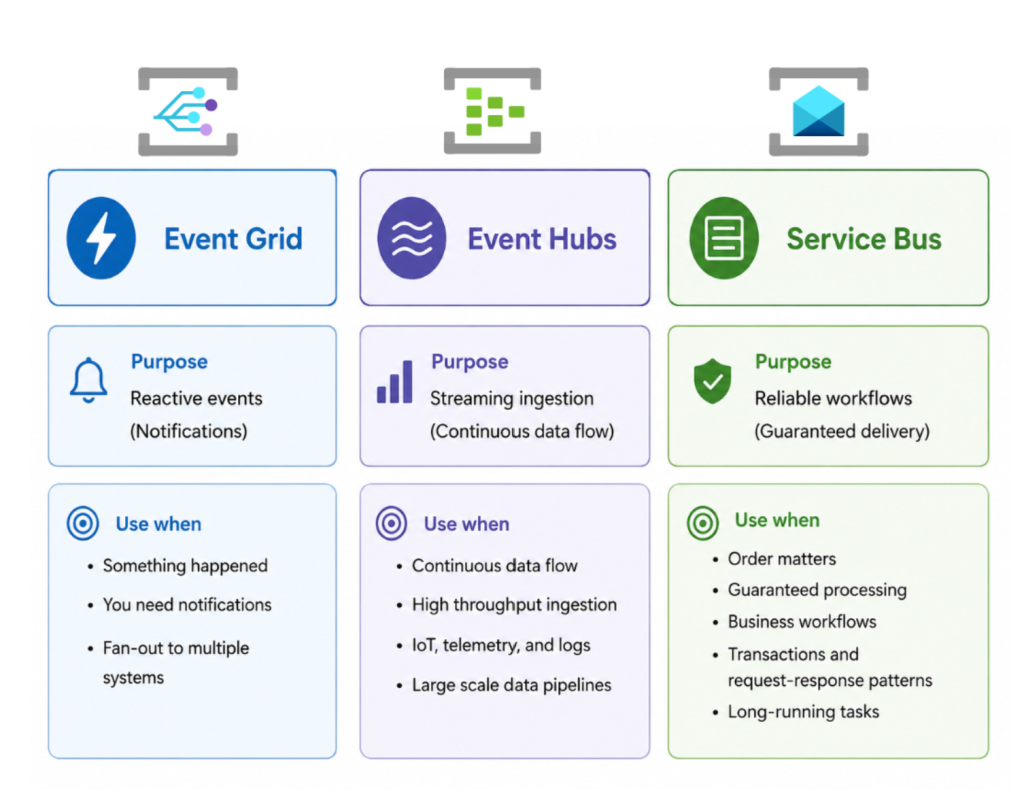
- Event Grid → something happened
- Event Hubs → something is continuously happening
- Service Bus → something must be handled correctly
Or even more practically:
- Event Grid = notification system
- Event Hubs = streaming ingestion system
- Service Bus = workflow execution system
Once you see it that way, the decision becomes much easier.
You stop debating services and start thinking about intent.
A simple decision approach that works
When I’m designing or reviewing systems, I usually just ask three questions:
- Am I reacting to a change in state?
→ Use Event Grid - Am I dealing with continuous, high-volume data?
→ Use Event Hubs - Do I need guaranteed processing with control over execution?
→ Use Service Bus
That’s usually enough.
Anything beyond that is just optimisation or edge-case tuning.
Final thoughts
Most Azure messaging problems I’ve seen aren’t caused by missing features or bad infrastructure.
They come from unclear mental models.
Once you clearly separate:
- events from messages
- streams from workflows
- notifications from commands
Then your architecture becomes significantly easier to reason about.
And more importantly, it stops behaving unpredictably when production load kicks in.
That’s really the goal—not just making it work but making it behave consistently when it matters.